Download Pin Pull free on android
APK file Pin Pull 0.8.3How to install APK / APKS / OBB file on Android
Last checked date: December 5, 2024
Short info
In general apk file Pin Pull has rating is 7.6 from 10. This is cumulative rating, most best apps on google play store have rating 8 from 10. Total reviews in google play store 16877. Total number of five star reviews received 8438. This app has been rated like bad by 1947 number of users. Estimated number of downloads range between 10,000,000+ downloads in google play store Pin Pull located in category Puzzle, with tags and has been developed by Gamejam. You can visit their website https://gamejam.co/ or send hello@gamejam.co to them. Pin Pull can be installed on android devices with 4.4(Kitkat)+. We provide only original apk files. If any of materials on this site violates your rights, report us You could also download apk of Google and run it using android emulators such as big nox app player, bluestacks and koplayer. You could also download apk of Pin Pull and run it on android emulators like bluestacks or koplayer. Versions of Pin Pull apk available on our site: 0.8.3, 0.6.0, 0.5.5, 0.5.2, 0.5.0 and others. Last version of Pin Pull is 0.8.3 was uploaded 2024/05/12
Screenshots of Pin Pull



Description of Pin Pull (from google play)
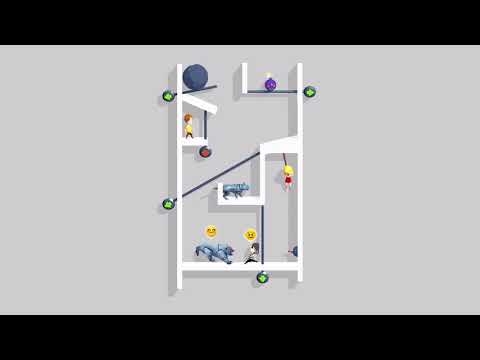
YOU gotta SAVE YOURSELF, and GET to SAFETY! PIN your way to VICTORY! ESCAPE and SOLVE with that BIG BRAIN of yours! Watch out for ROBOT ANIMALS! ROAR! They are MALFUNCTIONING and going to DESTROY ALL HUMANS! The MAD SCIENTIST has gone TOO FAR! WHOA! Stay away from BOMBS! GET the GIRL of your DREAMS from EVIL MACHINES! Protect her from the THIEF and ESCAPE!
FEATURES:
BIG ROBO BEARS!
MECHANIZED TIGERS!
LAZER DUCKS!
EXPLOSIONS!!!!
BRAIN BOOSTING PUZZLES!
BIG BRAIN TIME!
MEGA PINS!
Compliments? Of course!
Link to Terms and Conditions: https://gamejam.com/terms
Link to Privacy: https://gamejam.com/privacy
Link to Cookies Policy: https://gamejam.com/cookies-policy
Version history Pin Pull
New in Pin Pull 0.6.0
Bug fixes and performance improvementsAdvertisement
Please rate this app
More info
- LicenseFree
- File namePin Pull
- File Version0.8.3
- Package namecom.game.jam.hyper.pin
- Size85.64 MB
- UploadedDecember 5, 2024
- Android6.0 or later
- CategoryPuzzle
- DeveloperGamejam
- Developer site
- Developer emailhello@gamejam.co
- md5 hashde115823b4c5e14bf5c2ee78c1bc115e
- Architecture-
- Permissionsshow (10)